

There is a comparison tool at http://microbiomeprescription.com/ which allows you to view change in three different ways:
- Change in number of matches to known illness profiles
- Change in End Products product
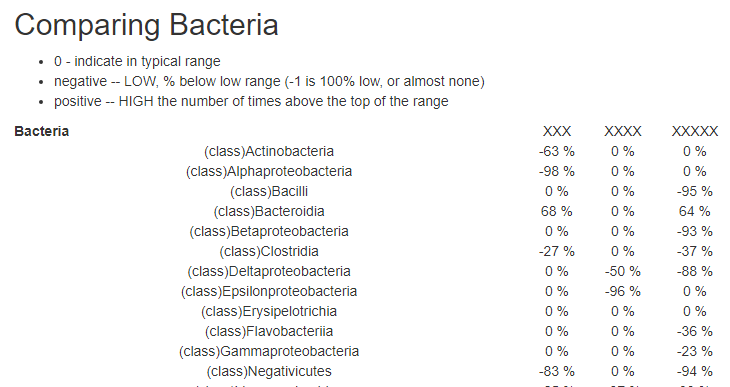
- Counts of Bacteria.
How to do it
On the landing page after logging in you will see this at the top. Click it.
You will then be presented with available samples
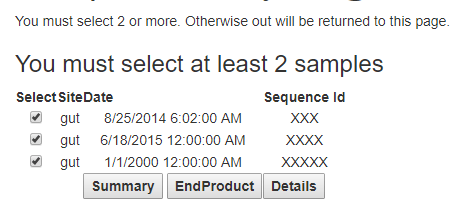
Select at least two. then click one or another of the three buttons.
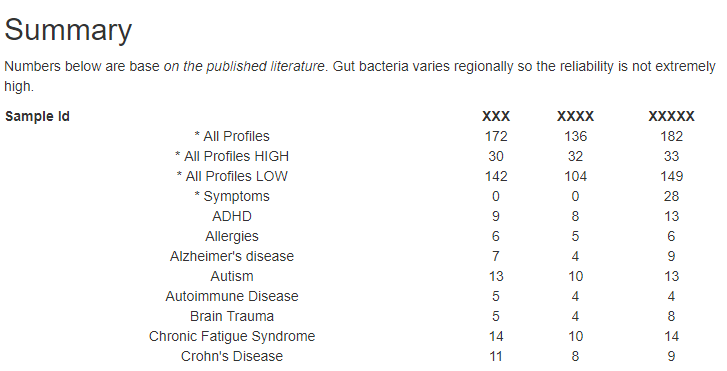
Summary — Compare to Profiles
In general, you want your numbers to go DOWN, especially if you have a listed condition
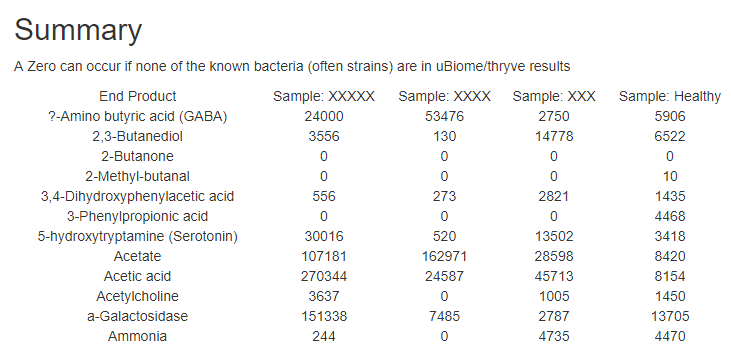
EndProducts – Metabolites produced by the bacteria
Details – by Bacteria, Symptoms, Metabolism
There are three reports here — two may be empty if you did not enter information. The last one is always there: Bacteria Change
Bottom Line
The two easiest to interpret on the first ones:
- How many shifts are matches with known shift in different illnesses
- Are you moving closer to the end products seen in healthy people
 CFS Remission