Histamine Bacteria Report and other updates

I’ve done some bug fixes and added new features.

Major Bug

Symptoms were not being saved. I have created a page to enter symptoms at any time and to revise them. If you have already upload, please return to the site and add symptoms.

New Features

Histamine Report

This last week Alison Vickery’s Web Site posted on the bacteria associated with histamine. I suspect they may not match the microbiome of people with histamine issues, but regardless of that, I took her list and created a page that checks your microbiome results against her list.

The report is at  (remember to login and select your sample first). An example of the report:

histamine

You will find the report under the histamine tab

histamine2

Login via Password been added

People misplace information, so if you enter your email, you can get a password sent to you to use instead of a sampleId.

  1. Go to the Logon With Password menu item above.
  2. Enter your email
  3. Click Send Password
  4. Copy the password from your email

Logon

Ability to share or annotate uBiomes

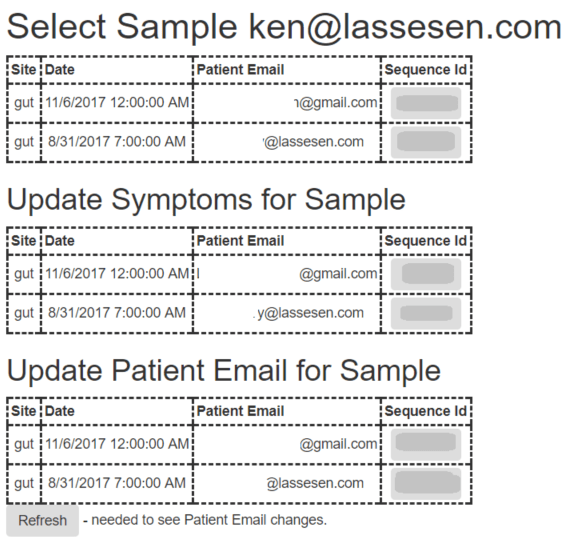
A physician wrote asking how multiple uBiome can be done on one email. I resolve that by improving the sample choice screen from which you can:

  • start exploring
  • enter your symptoms
  • enter a note or additional email that can access this specific ubiome
samples

All of the Patient Email can be used to ask for passwords to be sent.

Bottom Line

The site is evolving, with bugs expected (usually these will be worked on over weekends).


New page created for a…

New page created for a common German Stool Test: Gesundsheitscheck Darm Medivere
http://microbiomeprescription.com/Kyber/Gesundsheitscheck

Update on Microbiome Analysis

The website ( http://microbiomeprescription.com/ )  is now up with multiple tests being supported besides uBiome. The data from several common stool tests can be entered and a list of suggestions generated.

Stool tests supported

All of these entry screen list the bacteria and give a drop down to indicated if the test reported an overgrowth or an undergrowth (and how severe).

Entry

Clicking Submit takes you to the recommendations

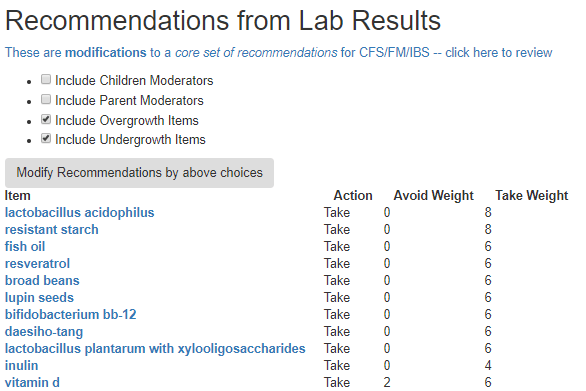
Recommendations

See Making sense of Avoid and Take on Recommendations

Result1

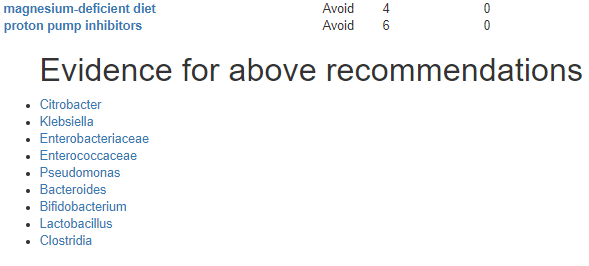
Below the table is the evidence links.

evidence

Examining the evidence – two ways

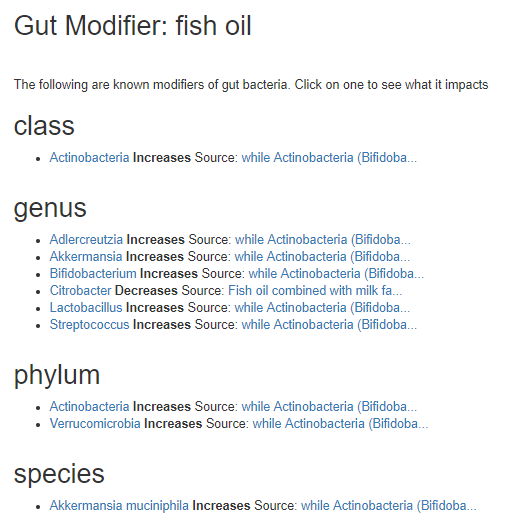
By Microbiome modifier

Clicking any of these modifiers takes you to the library page for the item

evid2

After increases/decrease is part of the text of the source of this information. If you click the link, you will be taken to where the information came from.

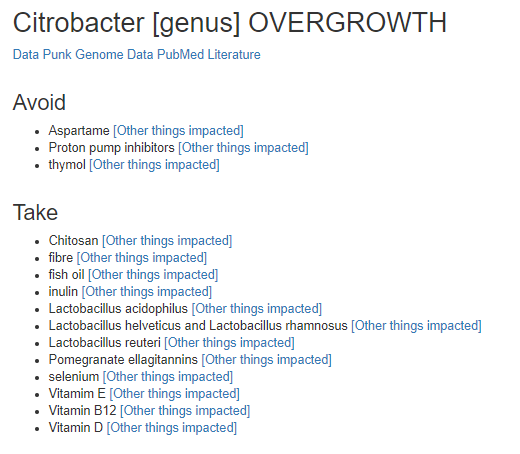
By Bacteria

Clicking any of these bacteria takes you to the library page for the item

evid1

Bottom Line

The intent of the website is to make it easy for brain-fogged people to obtain recommendations themselves AND, more important, to have the whys of these recommendations to be well documented. In short, evidence based recommendations and not recommendations from off-the cuff (un-researched 😦 ) suggestions that too often comes from physicians, including naturopaths.

This is an education post to facilitate discussing this approach with your medical professionals. It is not medical advice for the treatment of CFS. Always consult with your medical professional before doing any  changes of diet, supplements or activity. Some items cites may interfere with prescription medicines.

Bioscreen is now supported for analysis

http://microbiomeprescription.com/Kyber/Bioscreen

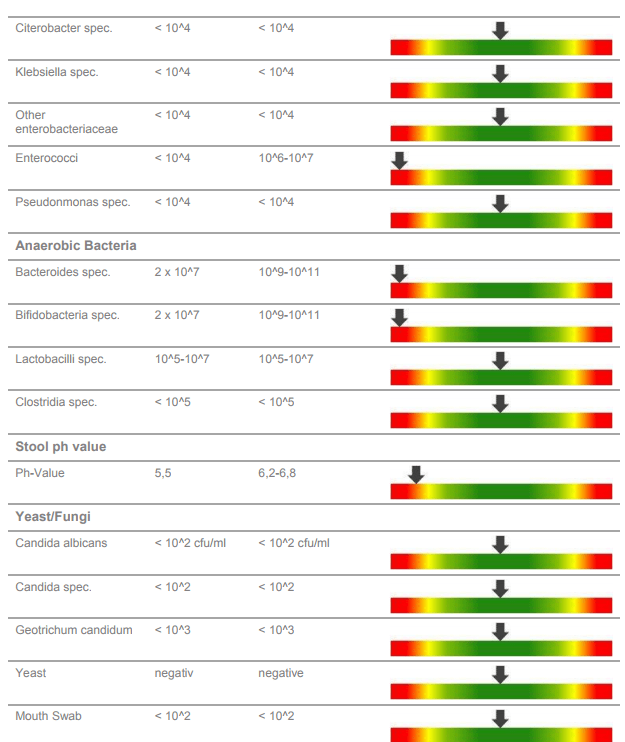
Analysis of Verisana Lab Report

A UK reader forwarded their results for analysis. I modified my website to input data from this report (like I did for KyberKompakt) and do analysis using the same database.

The Report

The report is shown below

rep1

rep2.PNG

The Data Entry

rep3

To keep life simple, the entry uses the same check marks and arrows as before. So the above report is entered as shown below. There were some minor spelling difference between plural and single versions of names (Bifidobacterium vs Bifidobacteria), but the sequence was maintained for ease of entry.

http://microbiomeprescription.com/Kyber/Verisana

rep4

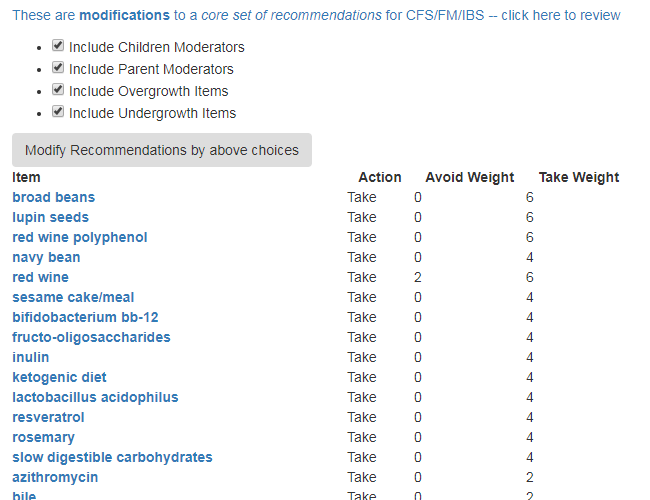
The results can be tuned as before.

rep5

The Weight is calculated as:   Sum of bacteria impacted by this.

  • Red Wine:
    • Three different “2” items were positively helped… 6
    • One “2” item was negatively helped … 2
    • Bottom Line weight is a 6-2 = 4 (more likely to help — but monitor carefully, we do not know how much it impacts each item.